

Investor/RT has a built-in Help system containing detailed documentation of the program's many features and capabilities. Each page of information in the Help system is "hyper-linked" or cross referenced with related pages. The Help information may be searched by topic and keyword by clicking the "Search" button at the bottom of the window.
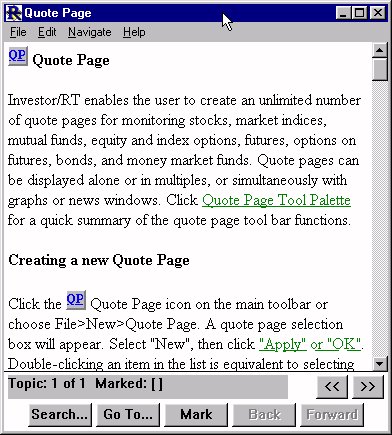
Many windows have help linked to them. The help associated with each window is activated by pressing the F1 key. For instance, if you have a TPO Profile, or TPO Profile Preferences window open, and in focus (meaning that is the last window you opened or click on), then you can simply press the F1 key and the TPO Profile Chart Help will appear.
To activate the help system, click the Help icon on the main toolbar or choose Help from the Windows menu. Macintosh users may activate the Help system from the standard Apple Help menu in the upper right corner of the screen or by clicking the Help button on an extended keyboard.
When you click the Help icon on the main toolbar, Investor/RT will take you directly to the Help topic associated with the front window. This is a good way to learn about Investor/RT. Explore the menus and toolbars, opening windows and pressing the Help icon to learn the features and functions associated with the window.
When the Help window appears, click on any underlined text to jump to that topic. Use the "Back" button at the bottom of the window to jump back to where you were. Click the "Search" button and specify "By Keyword" or "By Topic". As list of keywords or topics appears. Identify the one you want and click "Go To Selection" to review the text associated with the keyword or topic. The Help Topic "Help on Operating Help" provides further details on using the built-in Help system.