elements

Chart Element Manager

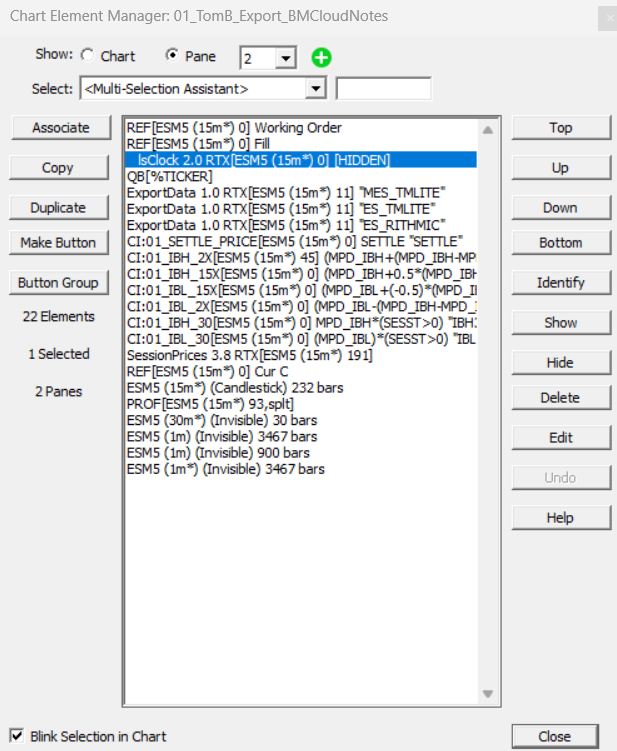
The chart Element Manager offers an easy way for users to Select, Edit, Reorder,Show,Hide or Delete MultiPane Chart Elements. To open it, right-click in a multi-pane chart and choose Element Manager or simply double-click inside the chart window to open the Chart Element Manager window. This window provides a list of graphic elements in the entire chart or in a specific pane based on your selection. When working with a specific pane, you may arrange the elements in drawing order. Using this window, you may select one or more elements and delete them.

Using RTL "Text" Tokens in Scan formulas and updating their content with SET statements

By "Text" Token, we mean tokens (or elements) in RTL that return textual strings. This webpage reviews the list of Text tokens, ie RTL Tokens returning a textual string, the way to use them in Scan formulas and how to update their content.

Make sure you are familiar with Text Variables (T#) before reviewing this page.

Part 1) List of RTL tokens returning textual strings

Other than Text Variables (T#), these tokens include:

Numeric Constants and Flags

Numeric constants and flags are simply tokens which represent constant numbers. They exist to facilitate equation composition. The descriptive tokens are generally easier to remember than the numbers they represent.