Quote Pages
Submitted by linnsoft on Tue, 04/23/2013 - 20:47


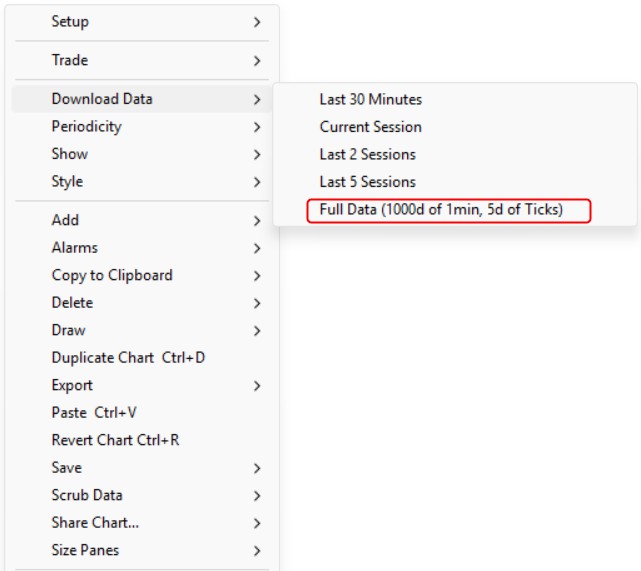
Here are the different ways to perform manual data download operations:
To access the Download data option, either Right click anywhere on an empty space of the chart and select one of the options of the "Download Data" menu (see below) OR right-click on the download icon at the bottom right corner of your chart