While "Trading Order Setup" is listed, for convenience purposes, on the Technical Indicators library webpage, it is not a technical indicator. A Trading Order is a fully independent Investor/RT Object that specifies all properties of a trading order to be executed under a live datafeed environment (or under the Investor/RT market playback mode), such as :
- the account destination
- the order action (buy/sell, revise, cancel, etc.)
- the order type (market, limit, etc)
- the order TIF (DAY, GTC, etc),
- the order quantity and symbol
Please note that the same Trading Order template is used in both simulation mode and for every live order execution routing service (CQG / Rithmic / Interactive Brokers), even if, for some routing services (or in simulation mode), some features are adjusted or not supported. For example, the OCO "trading strategy" (i.e., server-side OCO orders management) is not supported when using Interactive Brokers.
As for any other Investor/RT objects, a "Trading Order" can be created or edited by accessing the Object Manager window, and a particular configuration/set of settings can be saved under a specific Preset name.
Presentation
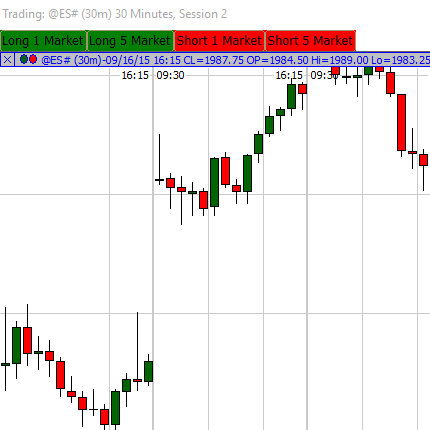
First, it is important to note that a Trading Order preset is not needed when executing a manual order through the ChartingTradingDOM or ChartMiniTrader RTX.
There are 3 main ways to execute (manually or automatically) Trading Order presets
1) The Chart Button indicator
Among the multiple purposes offered by the button indicator, two are directly related to order executions:
-
Execute a "Trading order"
-
Execute a "Trading order" group
This is the most frequently used method by Investor/RT subscribers to manually place trading orders, both market orders and limit orders, thanks to the very straightforward Trading from the chart "Mouse click" that allows the user to click the chart to define the corresponding limit price.
Similarly, assuming the trade quantity was introduced as a V# variable in the Trading order setup, this quantity can also be easily controlled through a separate push or menu chart button (setting the underlying quantity V# variable to pre-defined values)
2) The "Submit Trading Order" feature of a Signal Action
A "Signal Action" is another key Investor/RT Object whose settings can be managed through the generic Object Manager window. A signal action preset includes a set of predefined actions, such as playing a sound, displaying a custom text alert message, or submitting automatically a specific Trading Order preset.
The most common way to trigger a Trading Order execution (through a Signal Action) is to use the Signal Marker indicator.
Originally developed for the Signal Marker indicator, the Signal Action can submit (in a live data feed environment) any existing Trading order setup to the brokerage execution services when the current bar returns a true signal value.
Signal Action can also be triggered from other indicators, i.e., a specific Trading Order setup could be, for example, automatically submitted when
-
the current price action breaks a predefined price level (Reference line or Trendline indicator)
-
a price wave reaches a certain amplitude or a delta magnitude threehold (Zigzag indicator)
-
a specific orderflow pattern is detected (with the MPH or PVP indicators)
Please note that Signal Actions are also integrated into other Investor/RT Objects and features, so Trading Order setups can be submitted via a schedule, a keyboard shortcut, or even from custom columns added to QuotePage.
3) The Trading Rules and Trading System Indicators
Two indicators are also hosting "Trading Order" presets to manage semi or fully automated trading systems:
-
The Trading Rules Indicator: when a specific trading signal turns true, the user can restrict the execution of a specific trading order, upon specific conditions of its current live trading status (long/short or flat)
-
The Trading System Indicator focuses on the live deployment of complete trading strategies that may have been previously backtested and optimised with the corresponding features of I/RT. In that case, using the system builder interface, Signal actions are directly attached to the same trading rules as the ones used for the backtest runs...
Please refer to the global overview of the Trading system tools for a comprehensive presentation of the trading strategies and backtesting capabilities in Investor/RT.