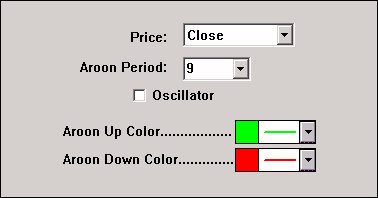
The Aroon indicator was developed by Tushar Chande in 1995. Aroon is used to measure the presence and strength of trends.
Aroon can be drawn either as two lines, the AroonUp and AroonDown, or an Aroon Oscillator representing the difference between the AroonUp and the AroonDown lines. The AroonUp and AroonDown lines oscillate between 0 and 100, while the Aroon Oscillator oscillates between -100 and +100.
AroonUp for a given time period is calculated by determining how much time (on a percentage basis) elapsed between the start of the time period and the point at which the highest closing price during that time period occurred. AroonUp will be 100 when the instrument is setting new highs for the period. Conversely, AroonUp will be 0 if the instrument has continually dropped throughout the period. AroonDown is calculated in a similar manner, expect looking for lows as opposed to highs.
Chande states that when AroonUp and AroonDown are moving lower in close proximity, it signals a consolidation phase is under way and no strong trend is evident. When AroonUp dips below 50, it indicates that the current trend has lost its upwards momentum. Similarly, when AroonDown dips below 50, the current downtrend has lost its momentum. Values above 70 indicate a strong trend in the same direction as the Aroon (up or down) is under way. Values below 30 indicate that a strong trend in the opposite direction is underway.
The Aroon Oscillator signals an upward trend is underway when it is above zero and a downward trend is underway when it falls below zero. The farther away the oscillator is from the zero line, the stronger the trend.
Presentation
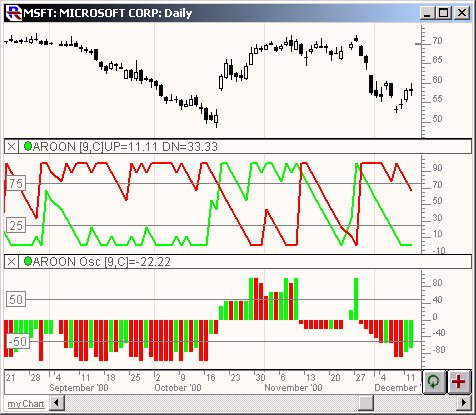
Above is a Daily Candlestick Chart of Microsoft (MSFT) . The 2nd pane shows the AroonUp (green) and AroonDown (red) lines. The 3rd pane shows the Aroon Oscillator The Preferences