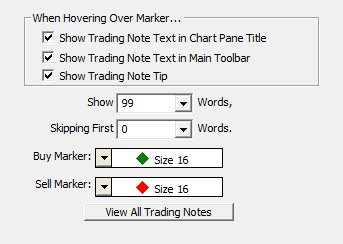
Similar to News Markers, the trading notes marker indicator places markers on the chart for each bar that has an associated trading note. When you enter trading notes for an instrument you can specify the exact date and time of the note. Whether you are viewing a daily or intra-day chart the marker will be placed on the bar with the closest date time of each trading note.
When live or simulated trading from the charts, trading notes are added each time you receive a fill on a buy or sell order. These notes are formated in such a way that Investor/RT can descern which trades were buys and sells and color code the markers that appear in the chart(s) accordingly. A trading notes marker indicator is added automatically to any chart of a symbol that receives a trading order fill, so you can see where your buys and sells have occurred in your intra-day charts when trading. This feature may be turned off via Setup > Configuration if desired.
Presentation
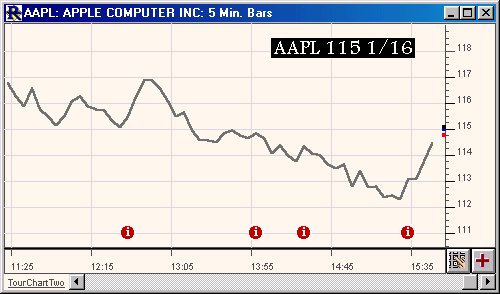
The info markers above (red circled "i") represent days with trading notes.