

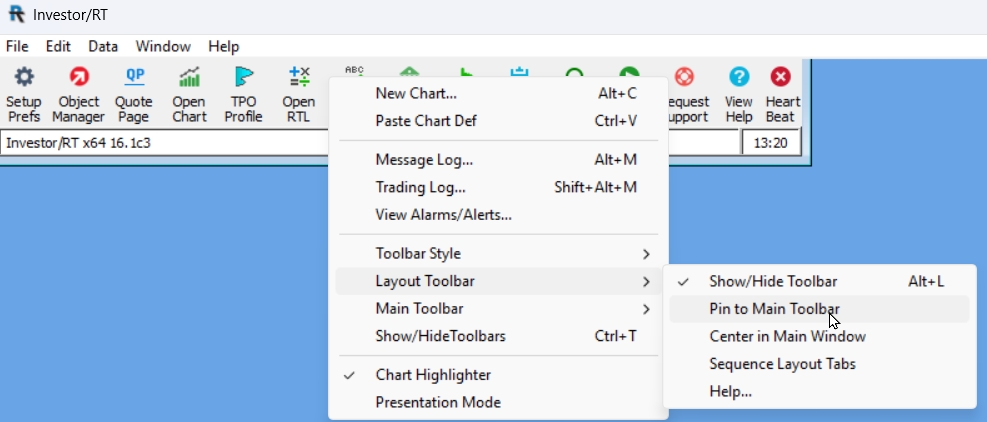
Right-click inside the message area of the main toolbar (the white horizontal section with Investor/RT x64 16.1) and access the Layout Toolbar submenu. You can choose to pin the toolbar to the right of the main toolbar, or bring the toolbar to the center of the screen. Once the layout toolbar is visible, you may, of course, reposition it as desired by dragging it with the mouse.
See Also
- Using the Layout Toolbar This video demonstrates the topic in detail.